Define the signal
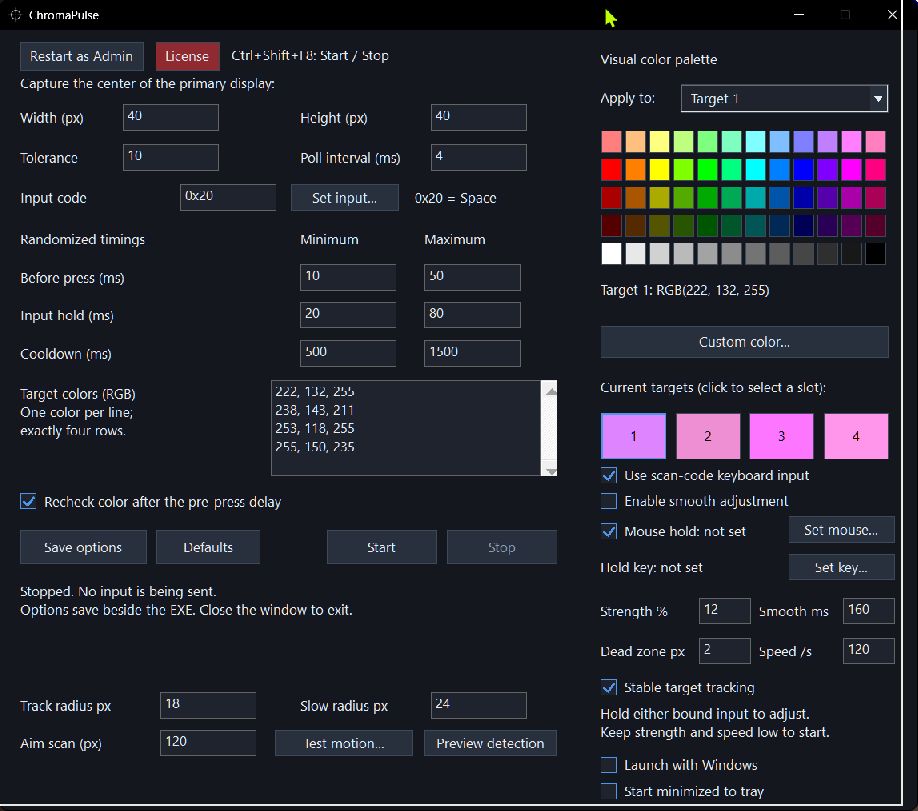
Select target colors visually, adjust the capture area and per-channel tolerance, and inspect detection using a capture-only preview.
A SMALL SIGNAL. A PRECISE RESPONSE.
A focused Windows utility that watches a small screen region and triggers your chosen keyboard or mouse input when a selected color appears.
Your colors.
Your response.
BUILT TO BE ADJUSTABLE
Choose what to detect, how quickly to respond, and when input is allowed.
Select target colors visually, adjust the capture area and per-channel tolerance, and inspect detection using a capture-only preview.
Bind a keyboard key or mouse button. Adjust the press delay, hold duration and cooldown, with an optional color recheck before pressing. Start and stop using a global hotkey.
Hold your chosen binding to enable color-based aim adjustments. Strength, smoothing, tracking and the center dead zone are configurable. Supported applications can vary.
Use the dark settings window, tooltips and tray icon. Optional Windows startup begins stopped; you decide when monitoring starts.
INSIDE CHROMAPULSE
Pick your colors, bind your input, and adjust the response from one window.
WINDOWS DOWNLOAD
Extract the ZIP to a writable folder, open ChromaPulse.exe, then activate your existing key. Monitoring starts only when you click Start.
Includes automatic encrypted license restoration, dark settings, tooltips, and optional tray startup. Defaults start stopped, with aim assistance and Windows startup disabled.
Windows 10/11, 64-bit. The executable is unsigned. Application compatibility varies. An issued key and internet access are required for input; capture-only preview is available without activation.
DOWNLOAD & LICENSING
Our planned offer is a free first 24 hours, followed by a one-time license purchase. No automatic subscription or charge.
The 1.3.6 download is available for existing key holders. Automatic 24-hour trials and paid checkout are being connected; a download does not include a trial or license key. The planned $50 key provides ten years from activation. Refunds are for technical problems, subject to applicable rights. Automatic trials and paid-key delivery are not live yet.
One-time purchase · ten years from activation
BEFORE YOU USE IT
It samples a centered screen area for configured RGB colors and can simulate keyboard or mouse input after a match. It also includes optional color-based aim assistance for games. It does not read game memory or change game files.
Compatibility varies. Some applications ignore simulated input, and protected or exclusive display modes may not be captured. HDR can change sampled colors. Use capture-only preview to check detection. ChromaPulse does not guarantee compatibility or protection from account sanctions; follow the rules of the application or game you use.
Activation sends your license key and a SHA-256 hash derived from your Windows account identifier to KeyAuth over HTTPS. KeyAuth also receives your connection IP. It does not receive your Windows password or raw account identifier. Active monitoring periodically validates the session.
No. ChromaPulse starts stopped. Input requires a valid license or trial and an explicit Start action. Capture-only preview does not inject input.